
Generate MW4 & Warzone VPN configs for NordVPN
Choose a NordVPN country and server, then generate a focused OpenVPN config for MW4 & Warzone matchmaking while keeping the rest of your connection on its normal route.
NordVPN server picker
Generate a config
Loading countries…
NordVPN to OpenVPN in five steps
For the strongest location change, choose a country far from your current location.
1. Download OpenVPN client.
You can download it here.
2. NordVPN subscription
For this to work you will need an active NordVPN subscription. If you don’t already have one, you can sign up through our link for a discounted offer including free months here:
3. Generate Config
Now it’s time to generate your config. Choose a country and a server and then click the generate config button.
4. Import Config
You need to import the config into your OpenVPN client. You can do so by clicking directly on the downloaded config file or you can drag it into the OpenVPN client.
5. Connect & Start Playing
Once the config is in OpenVPN, connect to the server, start Warzone or Modern Warfare 4, and validate the in-game location before playing.
If you get a popup saying “Connection Error Missing external certificate,” just click continue.
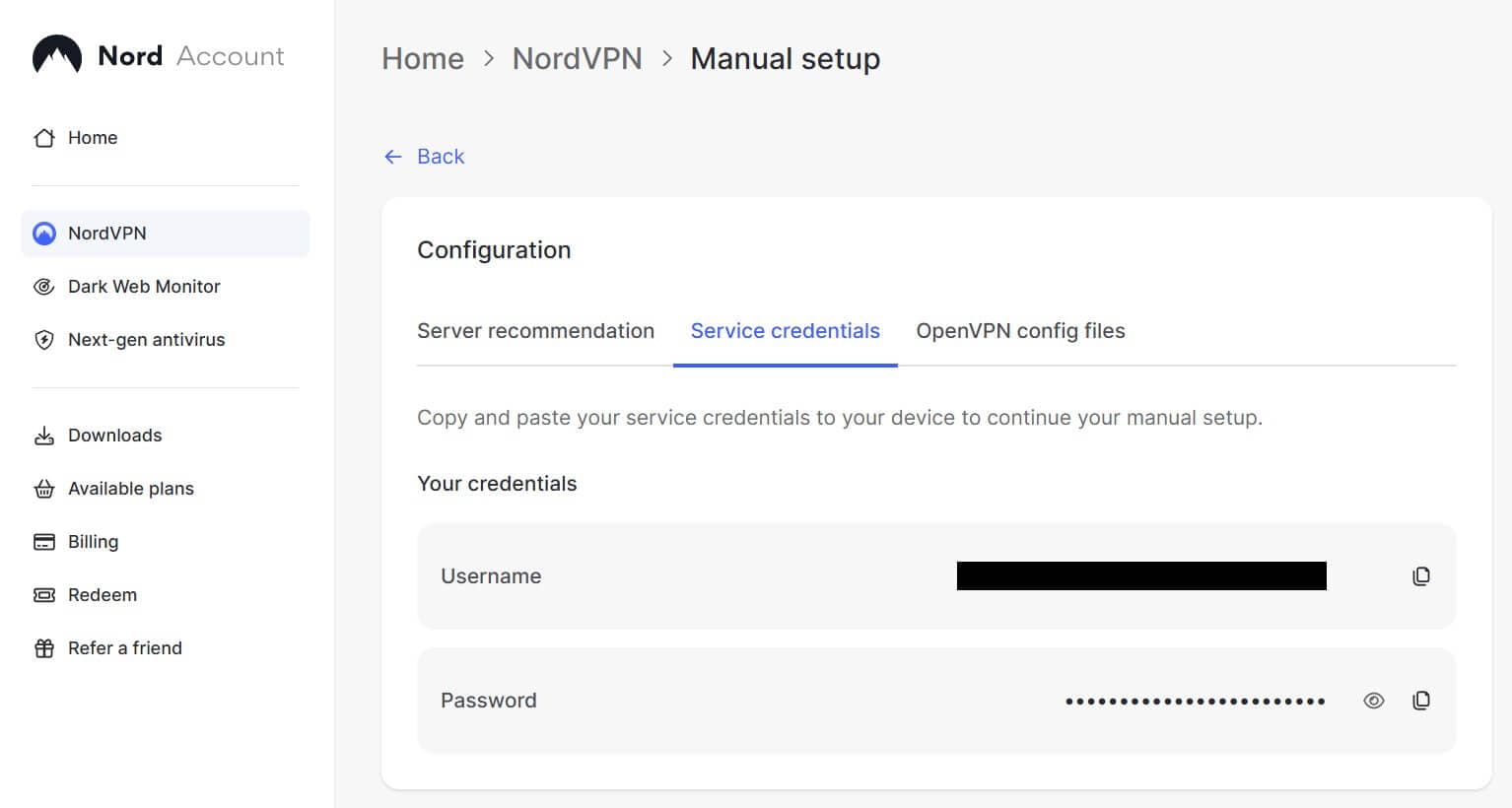
First-time connection with OpenVPN requires your NordVPN “service credentials” (not the same as your account email and password). Open the Service credentials page in Nord Account, then copy the generated username and password into OpenVPN.
You can then validate the selected location in Call of Duty.